Accounting
Sales invoices and e-invoices
Create, send, correct and chase invoices, including foreign-currency invoices and dunning.
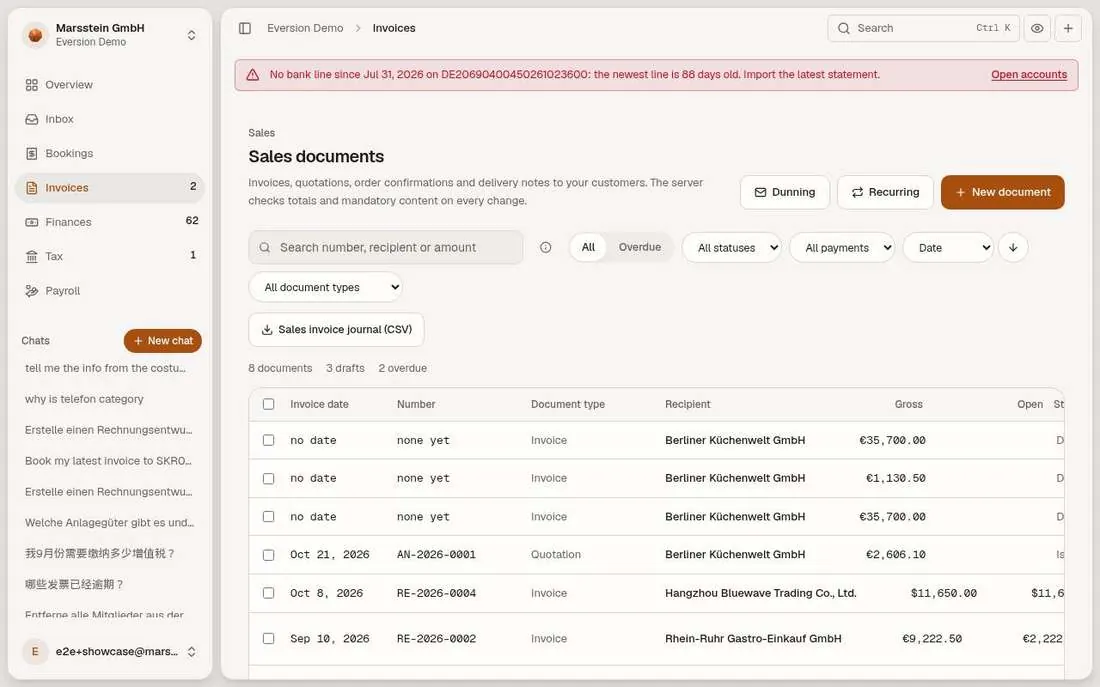
Sales documents list
Search, All and Overdue, status, payment and document-type filters, sort, and the 'Sales invoice journal (CSV)'. Rows: drafts without date or number, the quotation AN-2026-0001, and issued invoices with gross, open amount, status and due date. Buttons Dunning, Recurring, New document.
In short
Try it
Filter Overdue.
Open an issued invoice.
Good to know
- Number ranges are gapless, a forward jump needs a written reason (§ 14 UStG).
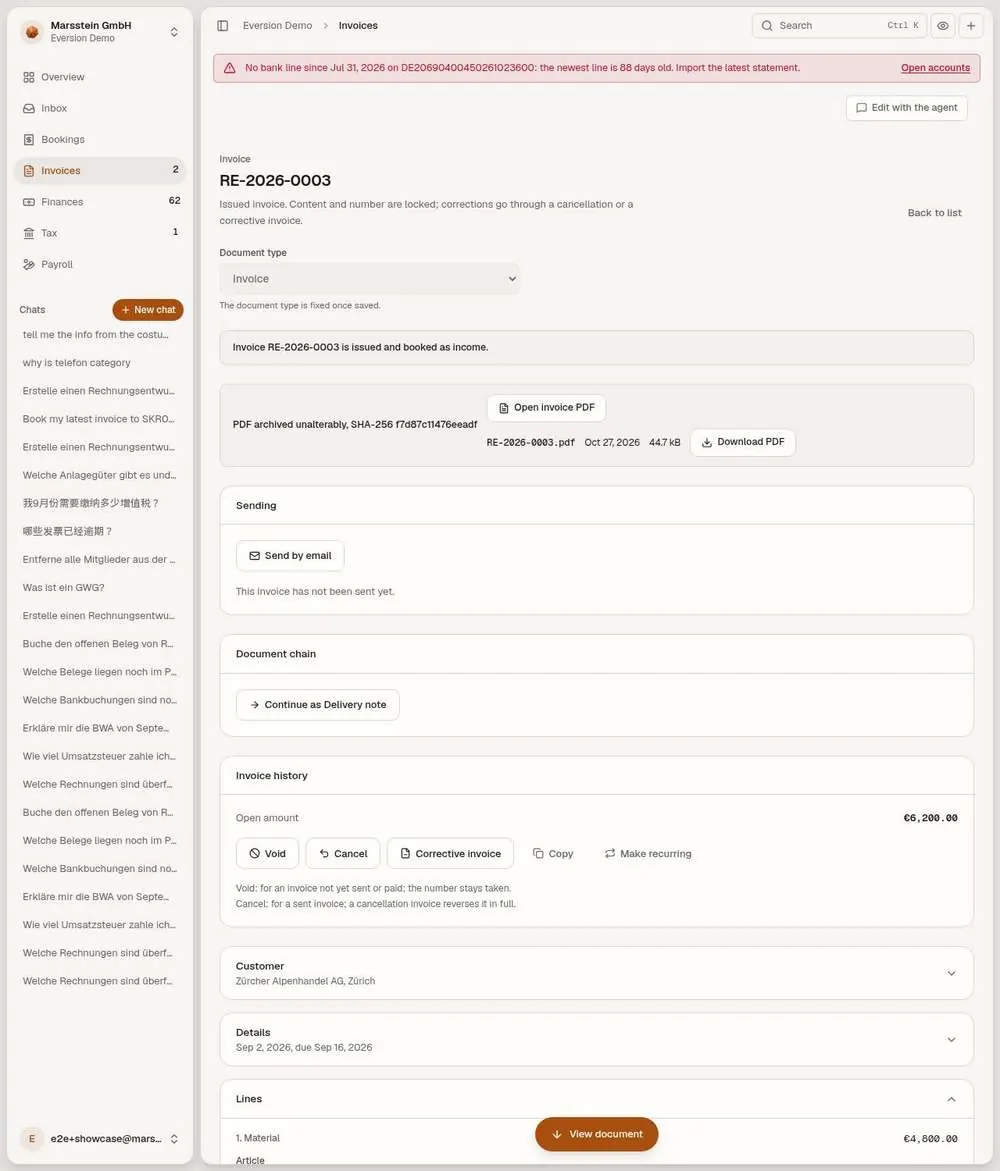
An issued invoice: archive, sending, correction, payments
The invoice is issued and booked as income. 'PDF archived unalterably, SHA-256 ...' with Open invoice PDF and Download PDF. A Sending block (Send by email), a Document chain (continue as delivery note), the open amount and the actions Void, Cancel, Corrective invoice, Copy and Make recurring, with a one-line rule for Void and Cancel. The check 'Mandatory content (§ 14 UStG): all present'. A preview with the export wording for a delivery to Switzerland without German VAT. A Payments form (transfer, cash, cash discount, bank fee, written off) and dunning blocks.
In short
Try it
Scroll to Payments and read the kinds of payment.
Good to know
- The export wording and box 43 are shown on screen; the legal basis is quoted from the invoice text, not independently checked.
- E-invoice: an issued invoice to a business customer in Germany carries a ZUGFeRD or XRechnung XML, validated before the number is used; the default format is set in Settings, Company profile. No XML file was opened here.
- The void dialog asks whether the invoice was ever given to the customer, because of § 14c UStG.
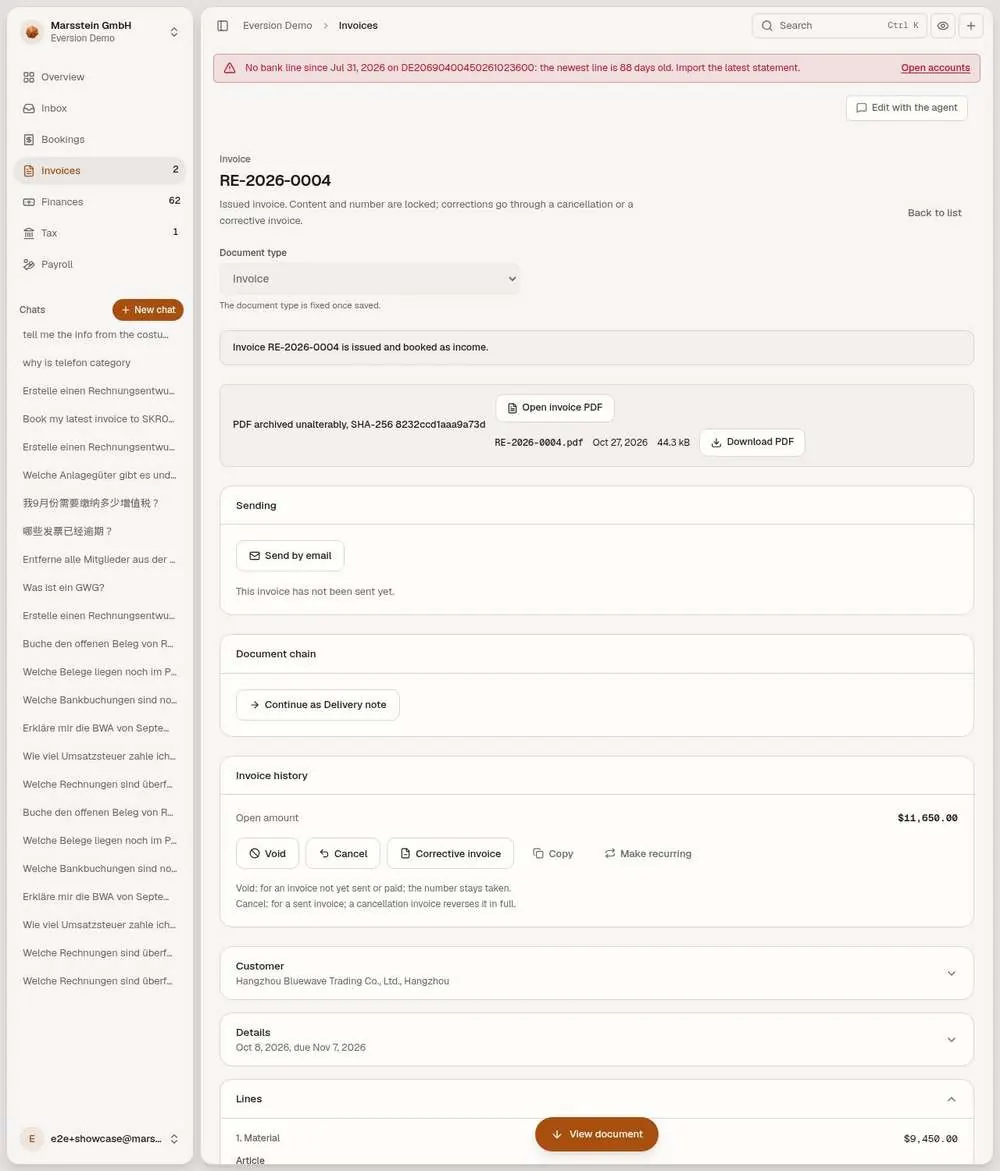
Foreign-currency invoice for a Chinese customer
An issued invoice in USD to Hangzhou Bluewave Trading Co., Ltd. The preview prints 'VAT in EUR 0.00' and the line 'ECB reference rate of 6 Oct 2026: 1 EUR = 1.1269 USD' and the export wording under § 4 no. 1(a) and § 6 UStG.
In short
Try it
Compare the rate line with the foreign-currency row in Bookings.
Good to know
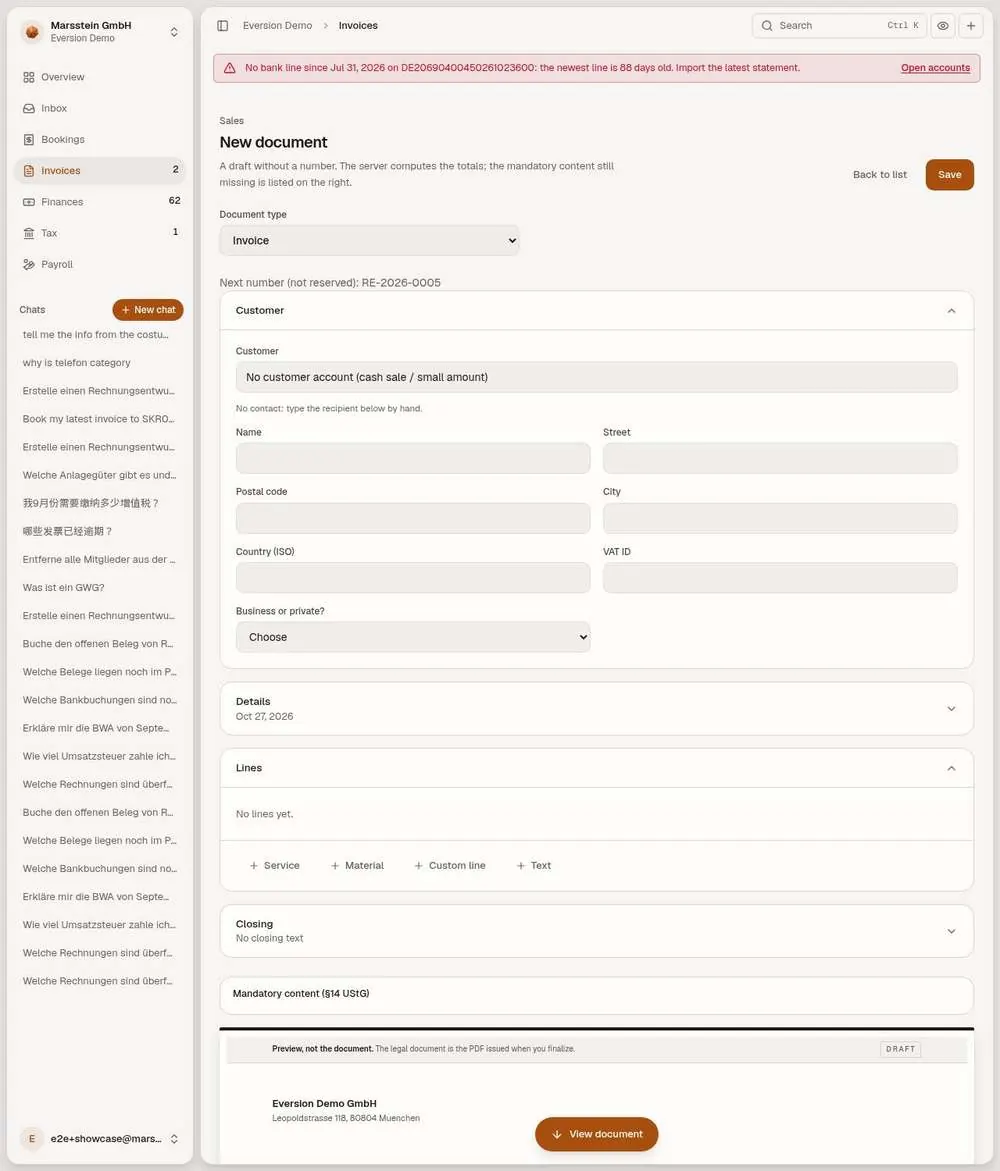
New document editor
A document-type selector (invoice, quotation, order confirmation, delivery note), 'Next number (not reserved)', a customer block with 'Business or private?', details, lines, and a live checklist on the right: the recipient, date of supply and a line with quantity and price are listed as missing. A preview marked 'Preview, not the document'.
In short
Try it
Fill nothing; read the checklist.
Save writes a draft.
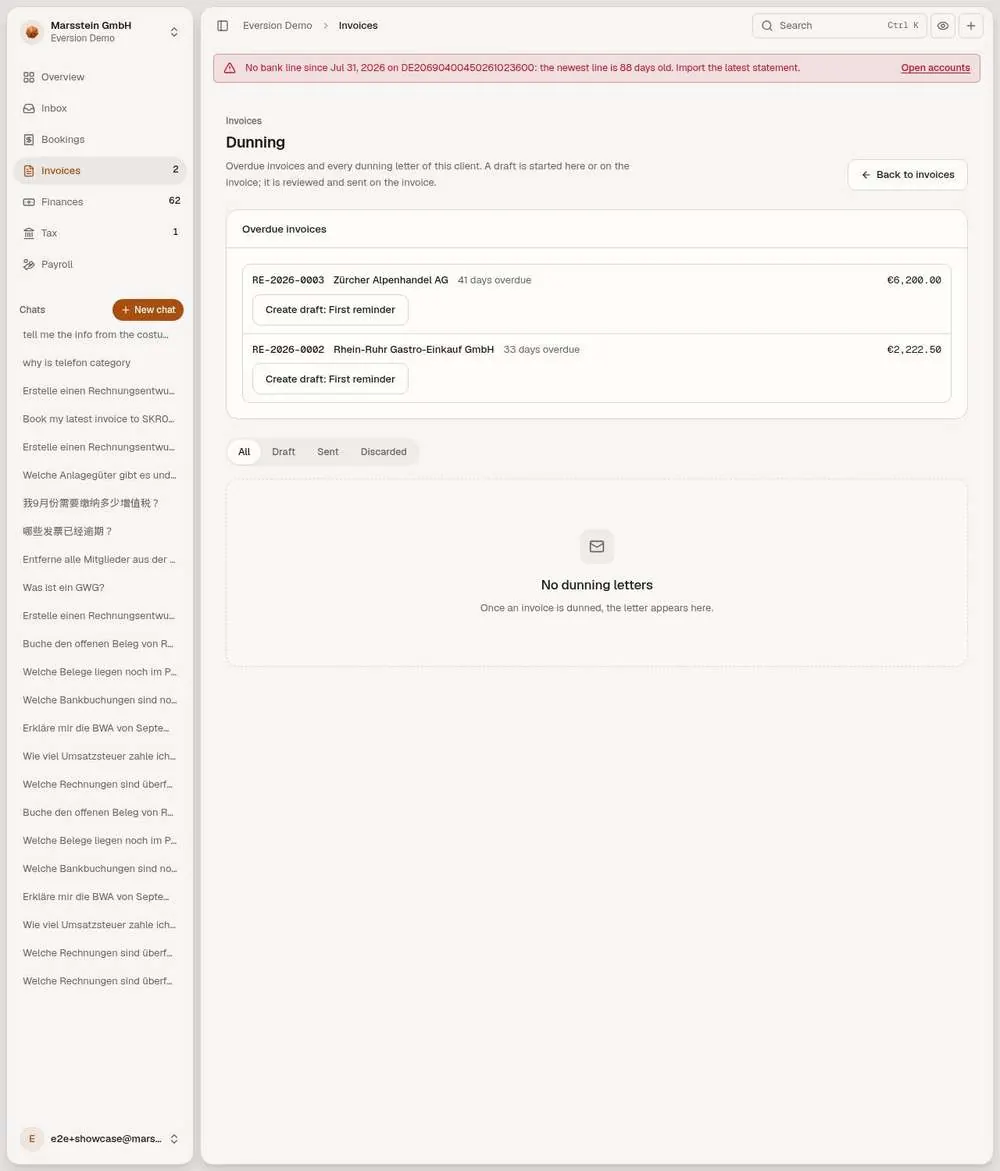
Dunning (payment reminders)
A list of overdue invoices with the days overdue and a button 'Create draft: First reminder', and tabs All, Draft, Sent, Discarded. No dunning letters exist yet.
In short
Good to know
- Interest and fee rules live in Settings, Dunning; see the Settings card.
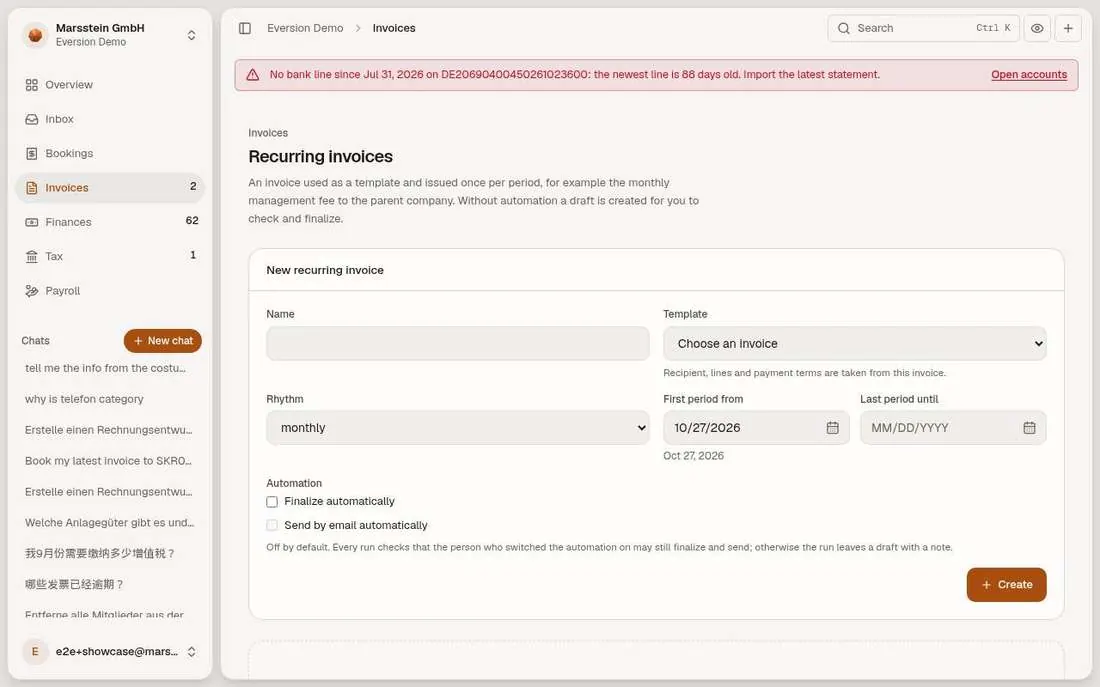
Recurring invoices (empty)
Empty in the demo
A form: name, template invoice, rhythm (monthly and longer), first and last period, two tick boxes for automatic finalize and automatic sending (both off).
In short
Good to know
- Only monthly or longer intervals are supported, per the docs.
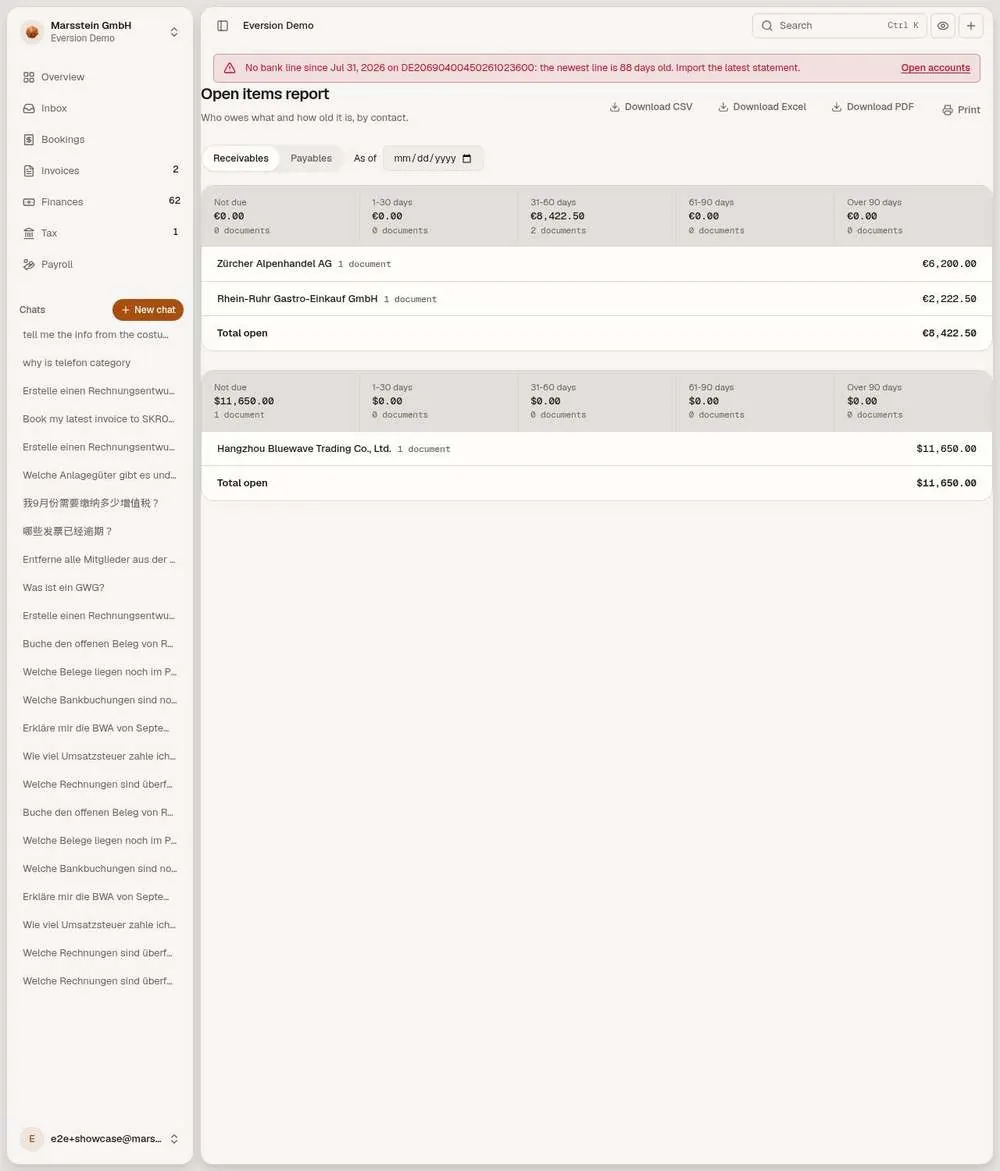
Open items report
Receivables and Payables tabs, an 'As of' date, aging buckets (not due, 1 to 30, 31 to 60, 61 to 90, over 90 days) and one row per contact. Download CSV, Excel, PDF and Print.
In short
Try it
Switch to Payables.
Change the As of date.
Good to know
- Amounts here move when payments are matched; check the live screen for current numbers.