Accounting
Inbox and documents
Review what the AI read from your documents, accept proposals and upload new documents.
Inbox: review queue with AI extraction
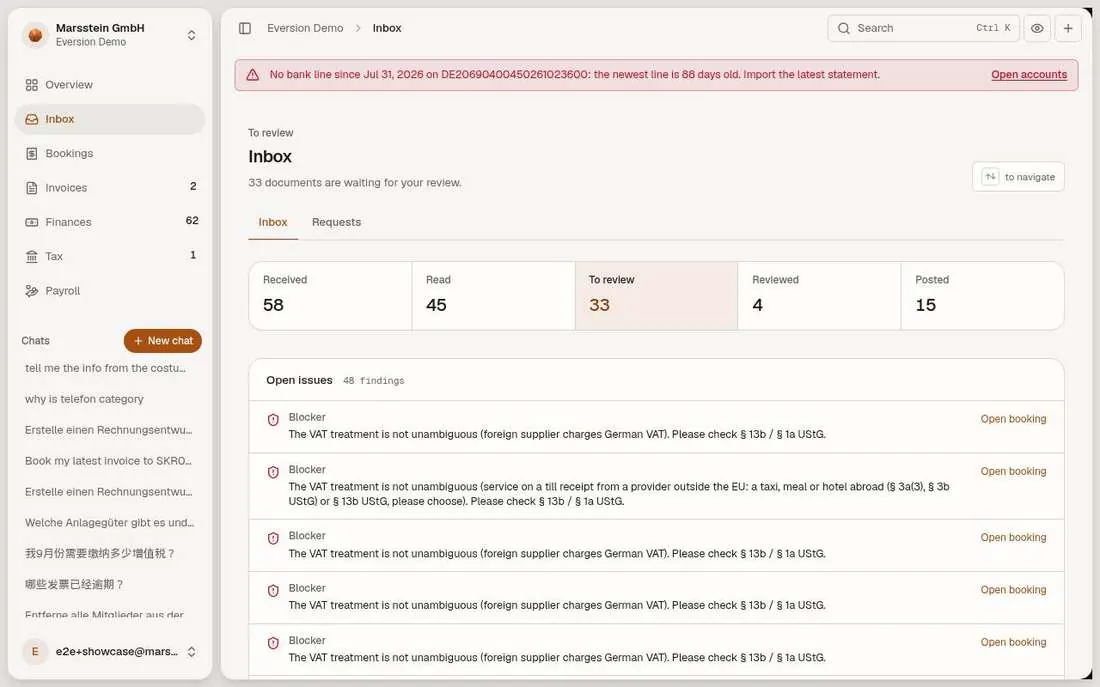
Counters Received, Read, To review, Reviewed, Posted. An Open issues list with blockers (for example 'The VAT treatment is not unambiguous'). A queue on the left and the selected Beleg (source document, such as an invoice or receipt) on the right with an AI EXTRACTION badge. Each field carries a mark: Verified (found on the document) or Please check (read by the model only). Account picker with SKR03 numbers, Note, Skip, Review + next.
In short
Try it
Open the first document and compare the fields with the page.
Look at which fields say Please check and why.
Good to know
- The archived original stays unchanged (GoBD).
- A second OCR reading is used as a cross-check on money fields; an open blocker stops posting.
Inbox: proposals from the agent and rules
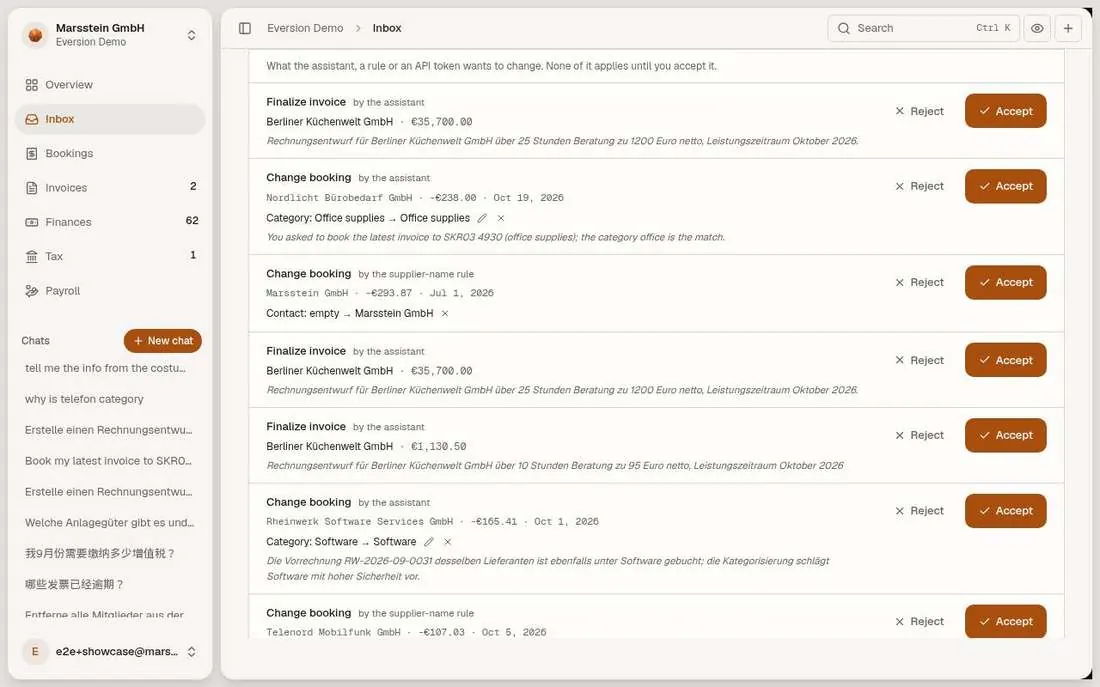
Under the queue: 'open proposals. What the assistant, a rule or an API token wants to change. None of it applies until you accept it.' Each proposal says who made it (the assistant, a supplier-name rule), what changes, with Reject and Accept.
In short
Try it
Read one Finalize invoice proposal and its text.
Read one Change booking proposal by the supplier-name rule.
Good to know
- The agent cannot post by itself, by construction.
Requests to a client contact (empty)
Empty in the demo
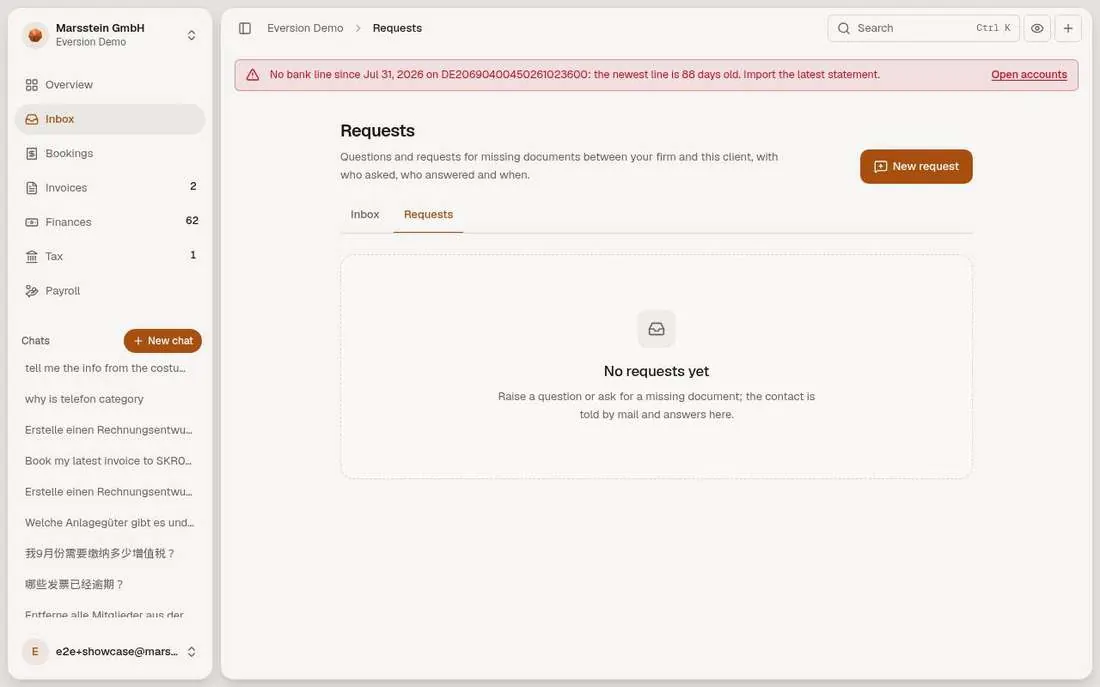
The Requests tab says 'No requests yet' and offers New request.
In short
Good to know
Documents view and upload
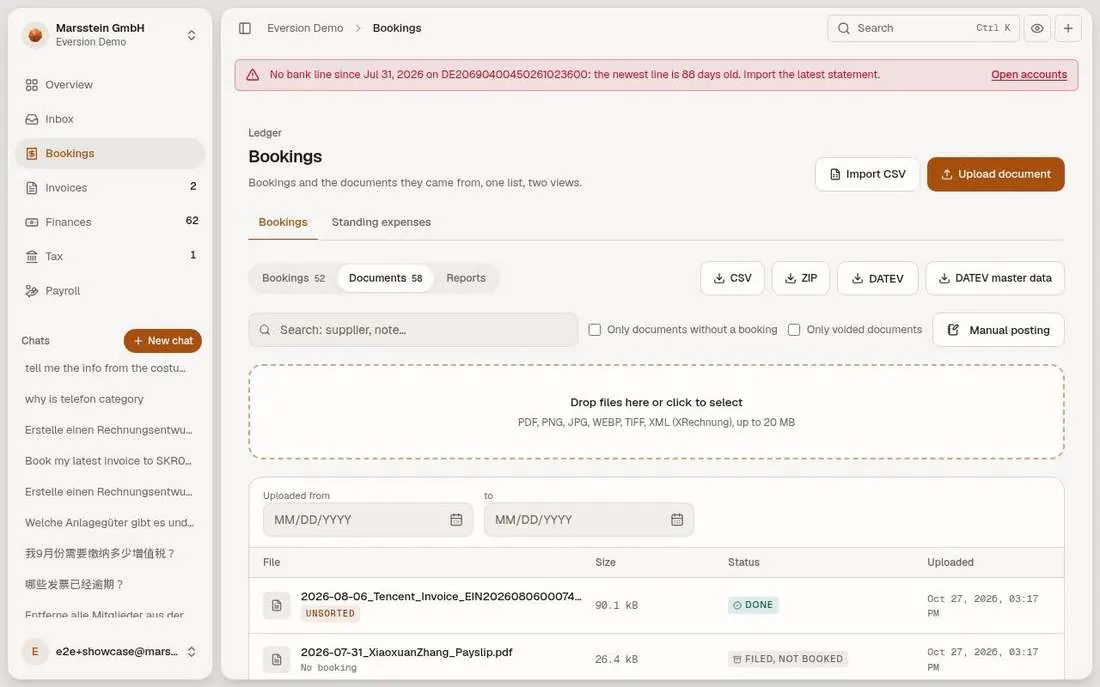
A drop zone ('PDF, PNG, JPG, WEBP, TIFF, XML (XRechnung), up to 20 MB'), filter by upload date and a table with file, size, read status (DONE) and a tag showing whether the document is posted or unsorted.
In short
Try it
Uploading writes data and starts a model call.
Good to know
- The duplicate refusal and the upload guards (type, size, rate) are from the docs.