Accounting
Bank, cash and assets
Match bank lines, check month-end balances, keep a cash book and a fixed-asset register.
Bank lines and matching
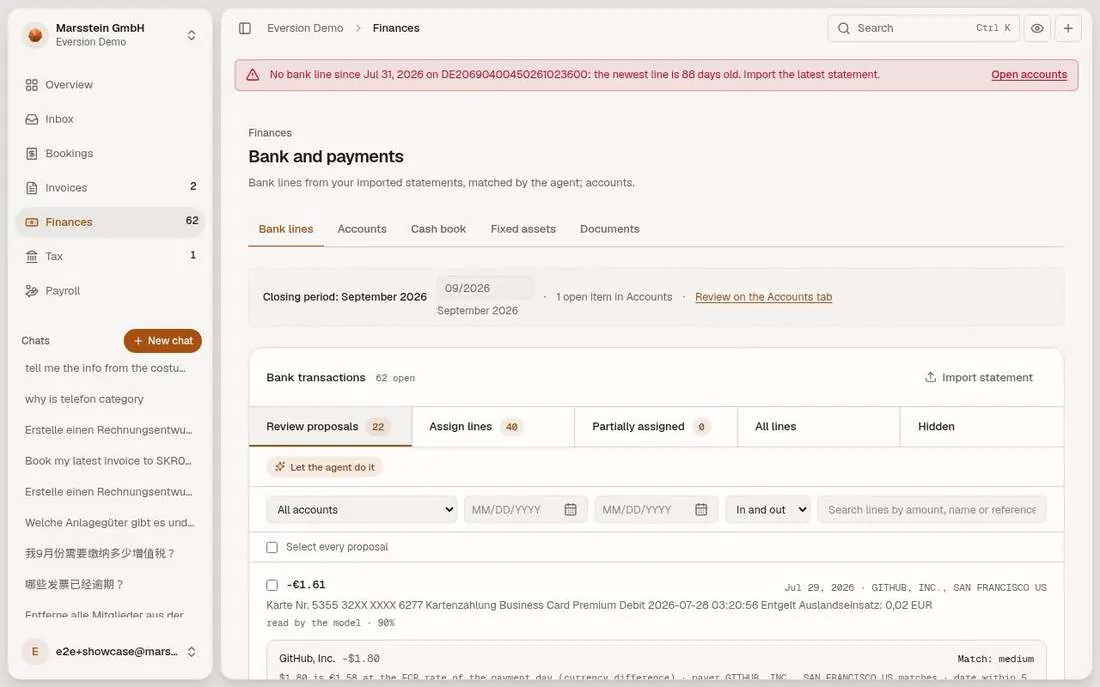
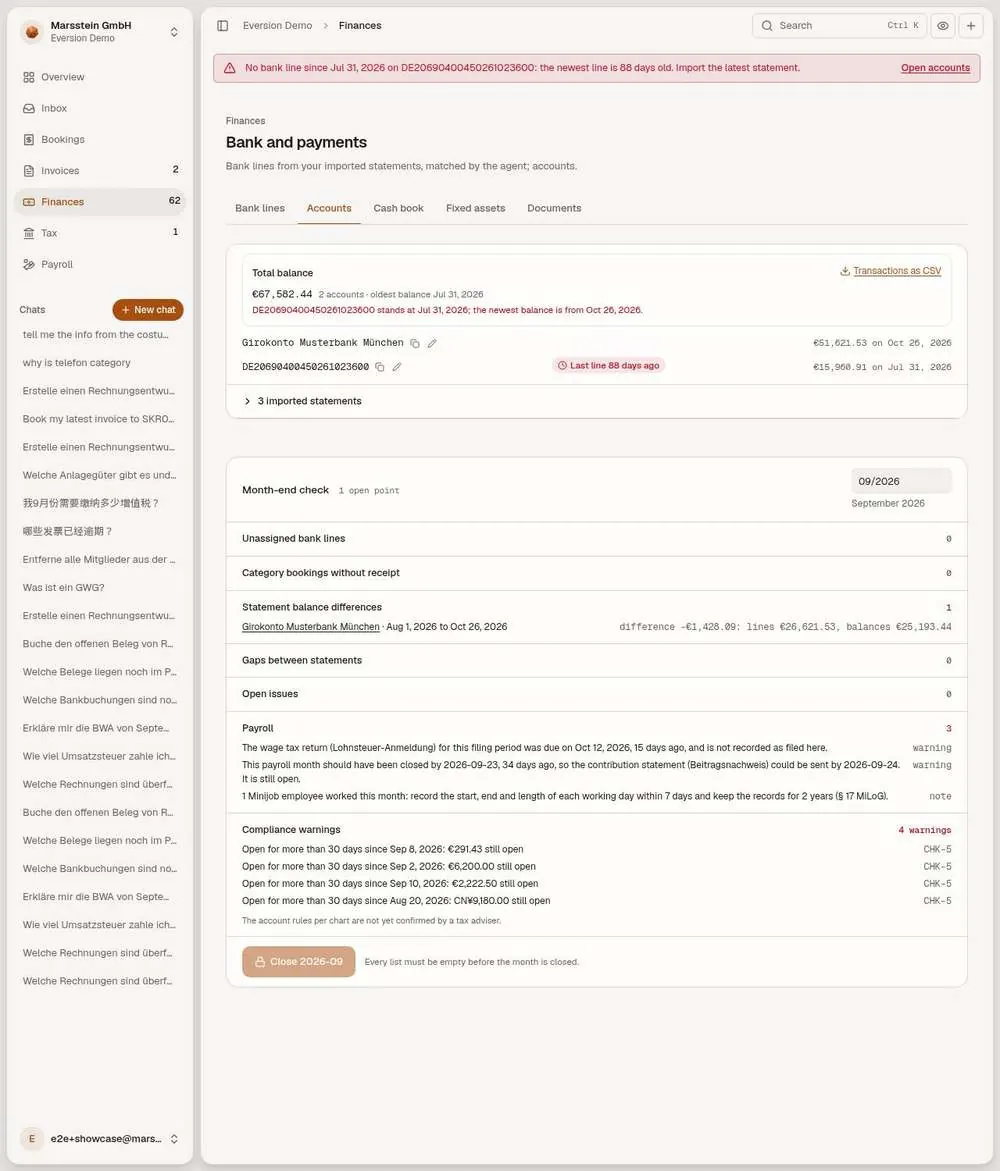
A closing-period strip, then 'Bank transactions N open' with tabs Review proposals, Assign lines, Partially assigned, All lines, Hidden. 'Let the agent do it', filters for account, dates, direction and text. Each line shows amount, date, counterparty, reference and, if there is one, a match with an explanation, for example a US dollar card payment compared at the ECB rate of the payment day with the currency difference. Buttons Ask the assistant, Assign manually, Create booking from line, Hide. Import statement.
In short
Try it
Read one proposal's explanation.
Open the Hidden tab.
Good to know
- Statements come in as files (CAMT, MT940, bank CSV, DATEV, PDF read by the model). A live bank feed is not built.
- Counts on this screen move whenever statements are imported.
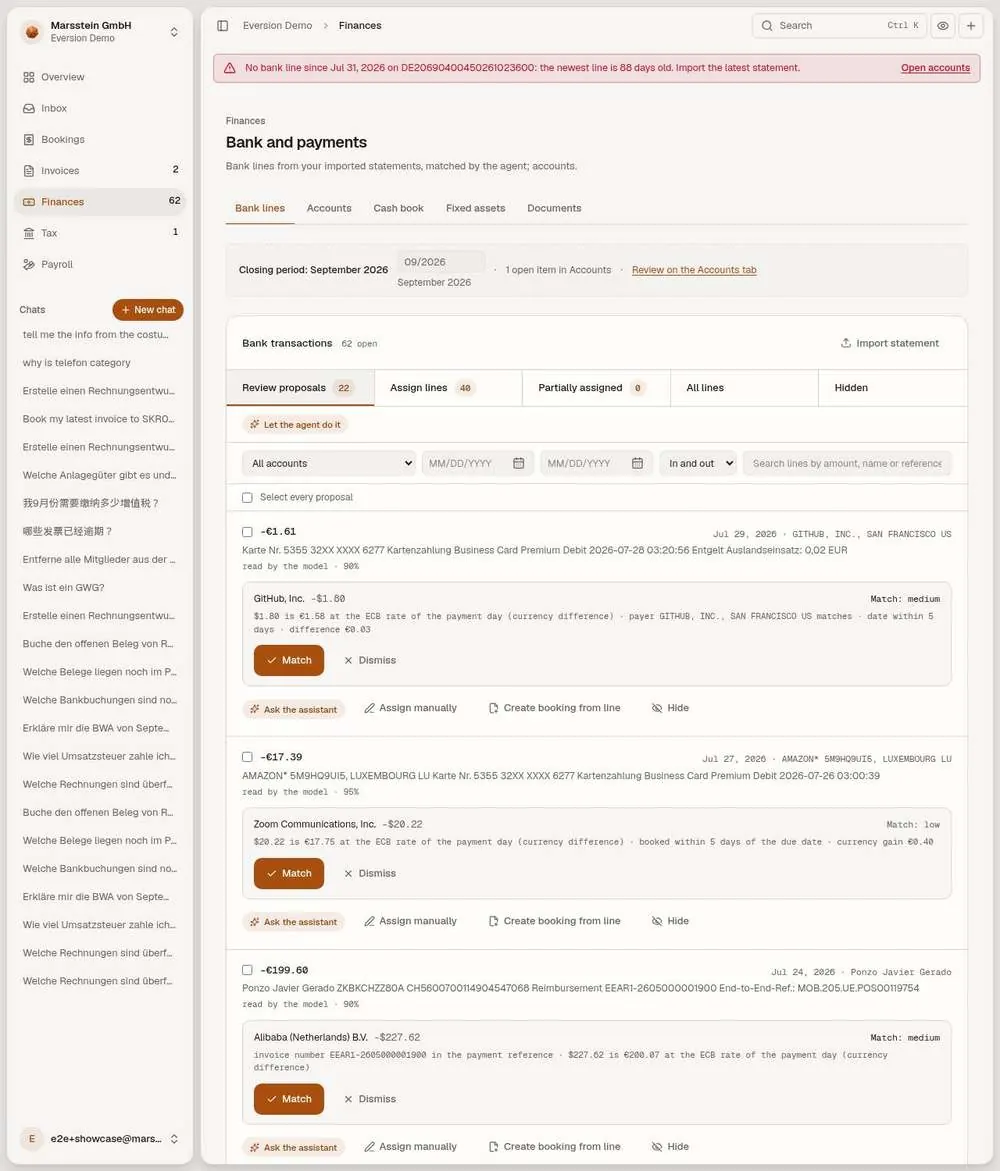
One bank line with the assistant
'Clear a payment': the bank line (Miete Büro Oktober 2026, 1,850.00 EUR out) with 'No candidate, open item', the buttons Assign manually and Create booking from line, and a chat that explains why a proposal fits.
In short
Good to know
- If this line was assigned since, open any open line from the Bank lines tab.
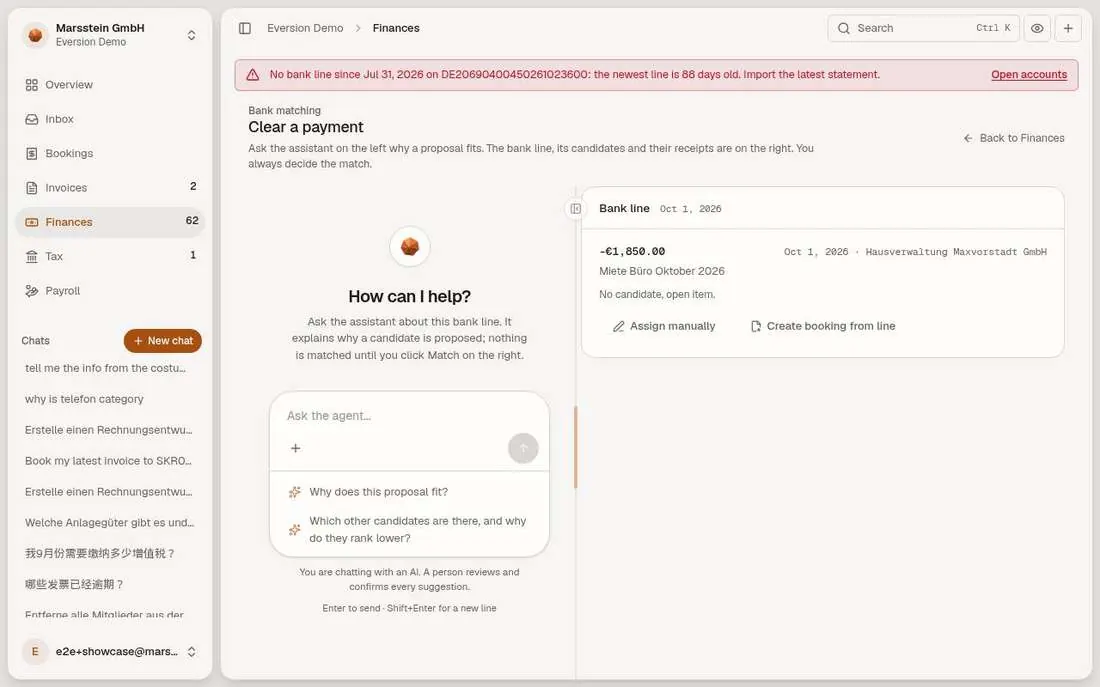
Bank accounts and month-end check
Total balance and each account with its latest balance and a warning when the last line is old. A Month-end check with counters (unassigned bank lines, category bookings without receipt, statement balance differences, gaps between statements, open issues, payroll), then Compliance warnings (for example items open for more than 30 days) and a 'Close month' control.
In short
Try it
Open the line 'Statement balance differences'.
Read the payroll warnings.
Good to know
- Closing the month locks it (Festschreibung (locking a closed period)).
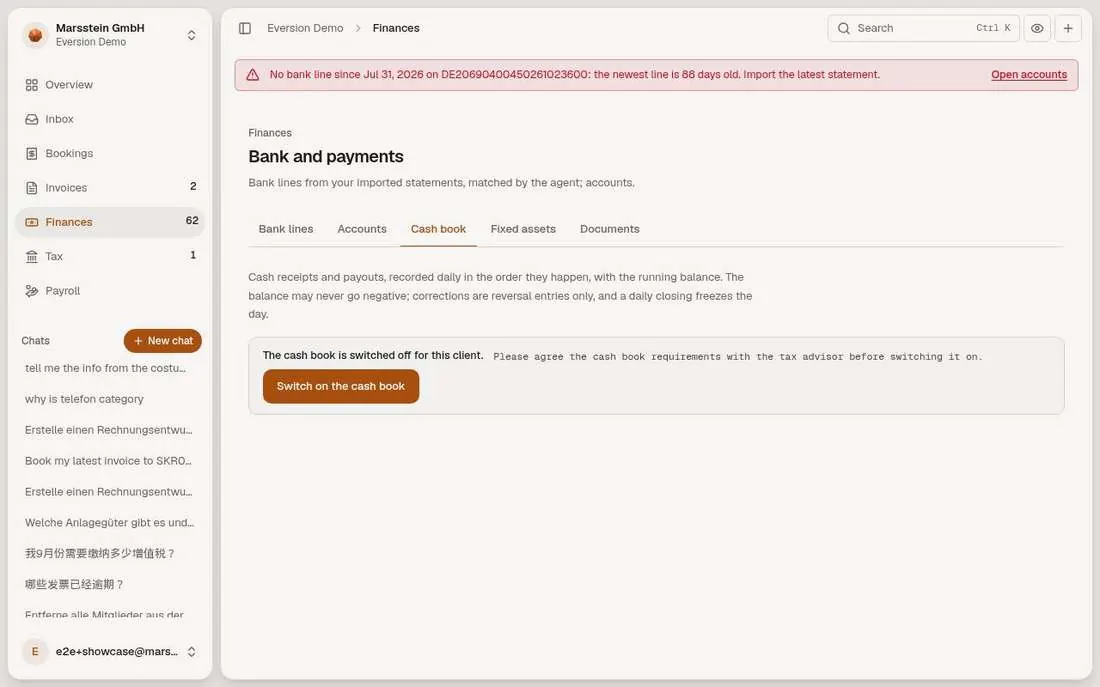
Cash book (switched off)
Switched off or gated
The text 'The cash book is switched off for this client. Please agree the cash book requirements with the tax advisor before switching it on.' and the button 'Switch on the cash book'.
In short
Good to know
- Switch: the cash book setting of the client, on this tab.
Fixed-asset register
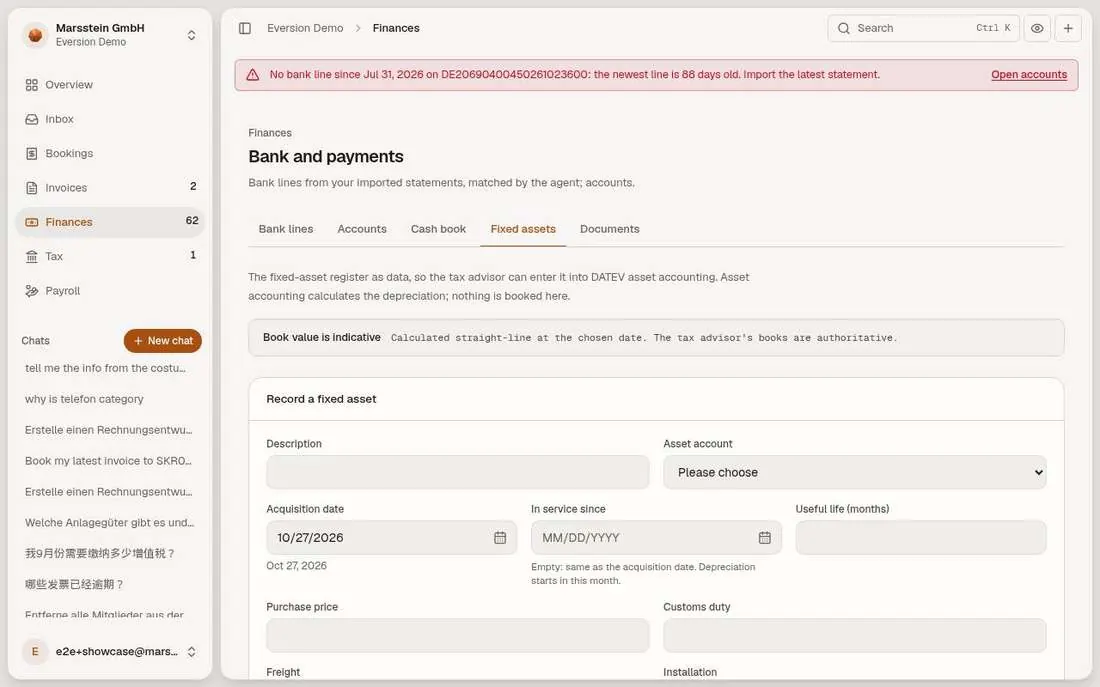
A register as data for the tax adviser: a notebook of 1,499.00 EUR on account 0420 with 12 months useful life and an indicative book value, an Export CSV and Record disposal. A form to record a new asset.
In short
Try it
Compare with the pool election in Settings, Bookkeeping, Fixed assets.
Good to know
- Useful life of 12 months for the notebook is a demo choice, not a tax table value.
- The class of an invoice line (expense, GWG, asset) is a suggestion in code, not a booking of its own.
Letters and procedure documentation (empty)
Empty in the demo
Templates Letter, Procedural documentation and Month-end report with a Create button each, and 'No documents yet'.
In short
Good to know
- The editing page sits behind a deployment flag (Univer).